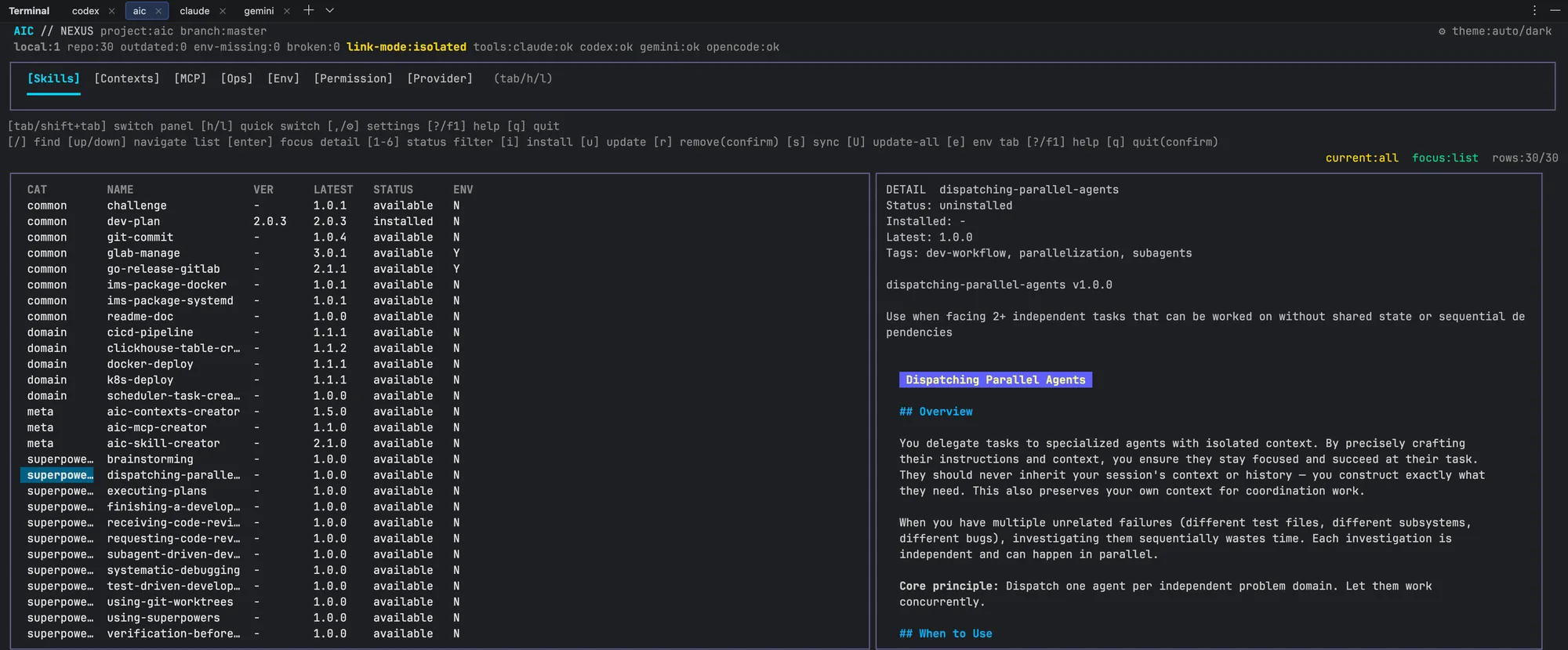
Declarative AI coding config, a versionable content ecosystem
AI coding isn't just about picking a model — it's about building a system. One project-level
declaration unifies Skills, Context, MCP, and Provider for Claude, Codex, Gemini, and OpenCode
inside a single TUI. Declaration and execution, separated. Templates and credentials,
separated. Content versions with git — everything in the terminal, nothing in the cloud.
aic believes in system convergence capability, not model capability supremacy. Configuration
management is not just “storing the right files” — it is an engineering flow where
declaration, execution, and credentials each have their own role.
System convergence, not just model power
Skills turn high-frequency operations from “on-the-fly reasoning” into
“structured execution.” TUI panels map onto a “state → detail →
action” cognitive model, turning configuration from a command sequence into state
transitions — installing, activating, and validating are all switches between states.
Declaration and execution, separated
A declaration records desired state; sync converges actual state. One declaration travels
with git — new members clone the repo and everything restores.
Templates and credentials, separated
The Registry stores {{VAR}} placeholders; real credentials live only on the
local machine. Rendered output is gitignored — credentials never enter Git. The team shares
templates; individuals hold their own keys.
Three creators: turn experience into distributable structure
Three meta skills installed via aic handle the authoring and versioning of Skills, Contexts,
and MCP servers. They are Registry content, not aic binary subcommands.
aic-skill-creator
v2.1.0
Author SKILL.md via TDD → Draft → Validate → Review → Ship. The description is the sole
trigger mechanism; progressive disclosure controls information density — letting AI invoke
skills on demand instead of manual orchestration.
aic-contexts-creator
v1.5.0
Design project-level long-term memory by stage: incubation, iteration, maintenance,
refactor. Seven-section skeleton, ≤200 lines, produces CONTEXT.md + content.md — context
evolves with the project phase.
aic-mcp-creator
v1.1.0
Create versioned MCP server packages with stdio, SSE, and Streamable HTTP transports.
Frontmatter is the single source of configuration; the body is human-readable
documentation only.
Each Skill's description is the sole trigger condition. AI invokes them on demand — no
manual orchestration of call order.
Team privacy: private Registry + three-layer protection
A private Registry is just a user-owned Git repo. The aic server never has path access to
private Registry content — config distribution and credential protection can coexist.
Layer 1 · Physical isolation
Private Registry = your own Git repo. The aic server has no path access. Content lives in
infrastructure you control; public and private Registries are fully independent.
Layer 2 · Template isolation
The Registry stores only {{VAR}} placeholders. Real credentials live only on
the local machine and never travel with Git — templates in the repo, keys on the machine.
Layer 3 · Render isolation
The rendered output directory is gitignored. Variable-substituted render results exist
only on the local machine — the team shares templates, individuals hold render results.
Fits naturally into your dev tools
No new window, no plugin marketplace. aic's TUI looks like a native component inside your
IDE's built-in terminal and standalone terminals — declare, sync, and validate, all without
leaving the terminal.
All screenshots are real aic TUI captures from live development environments — no composites.
Who it's for
Individual developers
Pain: re-initializing AI tool config on every machine and project; Skills and MCP drift
across tools.
Solution: one declaration travels with git — records the full desired state, shared across
all four tools.
Workflow: clone the repo and sync restores everything.
Small teams
Pain: Context templates, permission presets, and MCP configs drift between members; high
onboarding cost for newcomers.
Solution: design context by stage, store in a private Registry, protect credentials with
variable substitution and three-layer protection.
Workflow: aic-contexts-creator authors → private Registry distributes → members sync to
restore.
Intranet & air-gap
Pain: compliance requires no public Registry access and no outbound requests.
Solution: self-hosted Git repo as Registry, offline sync, three-layer protection for
credentials.
Technical feasibility, not a commercial plan. The private Registry runs entirely within
the internal network — no external connections required.
Declare your AI coding config in the terminal
Install aic, run aic in any project directory. Manage declarations, sync state, and
validate integrity from the TUI. One declaration travels with your code.